Pipe Python Processor
Fire Insights has a Pipe Python Processor.
It pipes the incoming DataFrame through pipe to the Python Script. It also passes the Schema of the DataFrame to the Python script through the command line argument. (argv[1])
The Python script is written in the Workflow Editor.
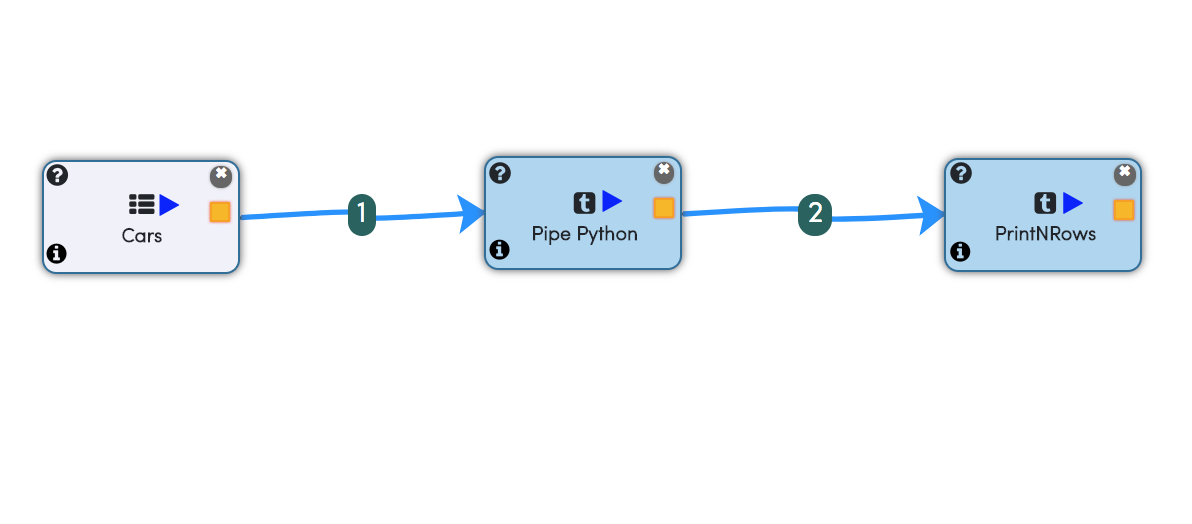
Below is an example workflow containing Pipe Python Processor.
Input DataFrame Schema
The schema of the incoming dataframe is also passed into the Python script as an argument. It can be used in the Python script as needed.
The format of the dataframe schema is below:
colname1:datatype1|colname2:datatype2|colname3:datatype3
Below is an example of printing the arguments and an example result:
print "The arguments are: " , str(sys.argv)

['/tmp/fire/scripts/pipepython-1899418263068404925.py', 'id:DoubleType|label:DoubleType|f1:DoubleType|f2:DoubleType']
Simple Example
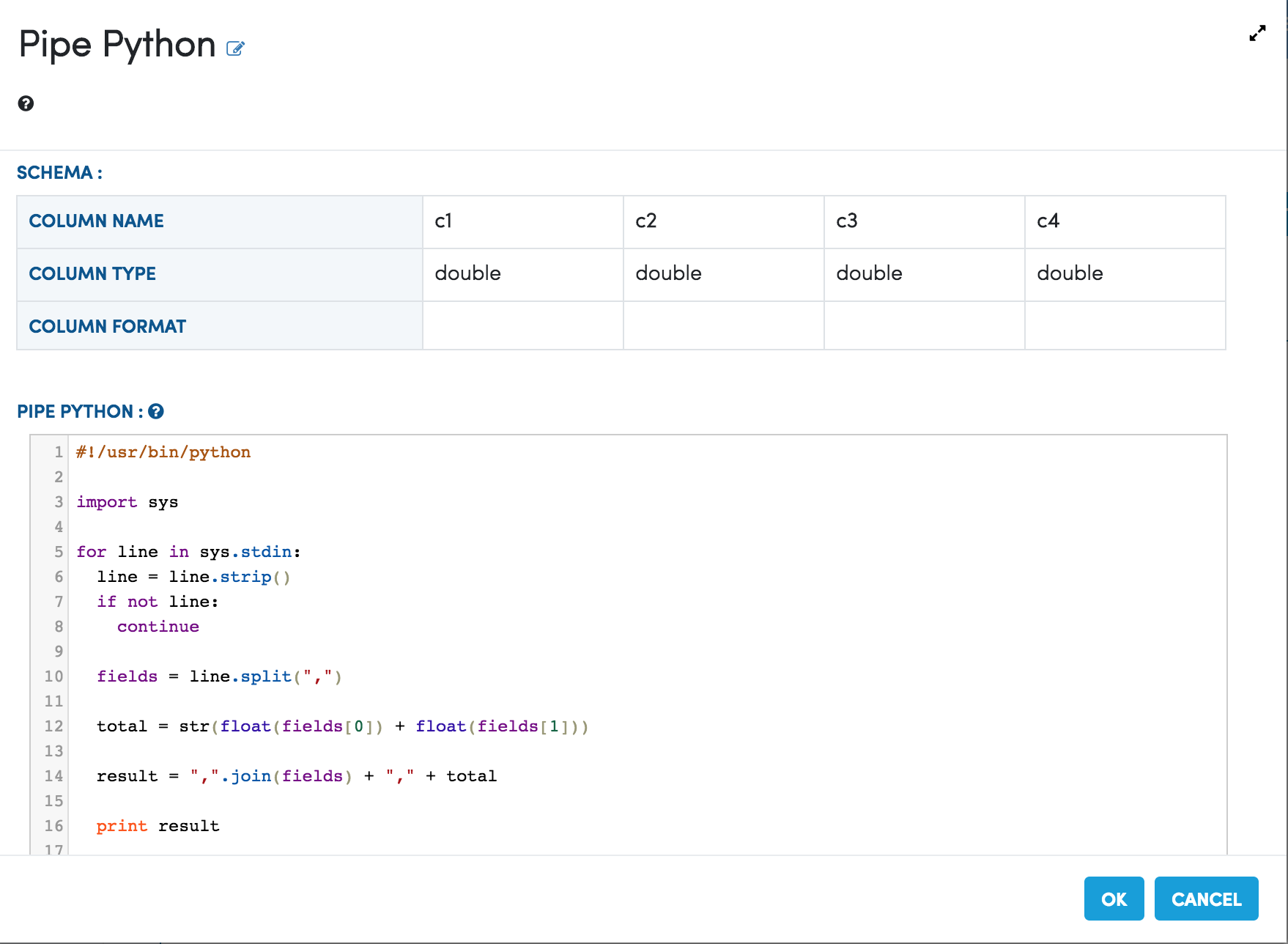
The below example reads in the incoming records, parses them, adds a new column whose value is the sum of the first and second fields. Finally it write out the updated record back for Spark to read:
#!/usr/bin/python

import sys

for line in sys.stdin:
  line = line.strip()
  if not line:
    continue

  fields = line.split(",")

  total = str(float(fields[0]) + float(fields[1]))

  result = ",".join(fields) + "," + total

  print result
Below is the code in the Dialog box of the Pipe Python Processor of the Workflow.
Output Schema of the Python Script
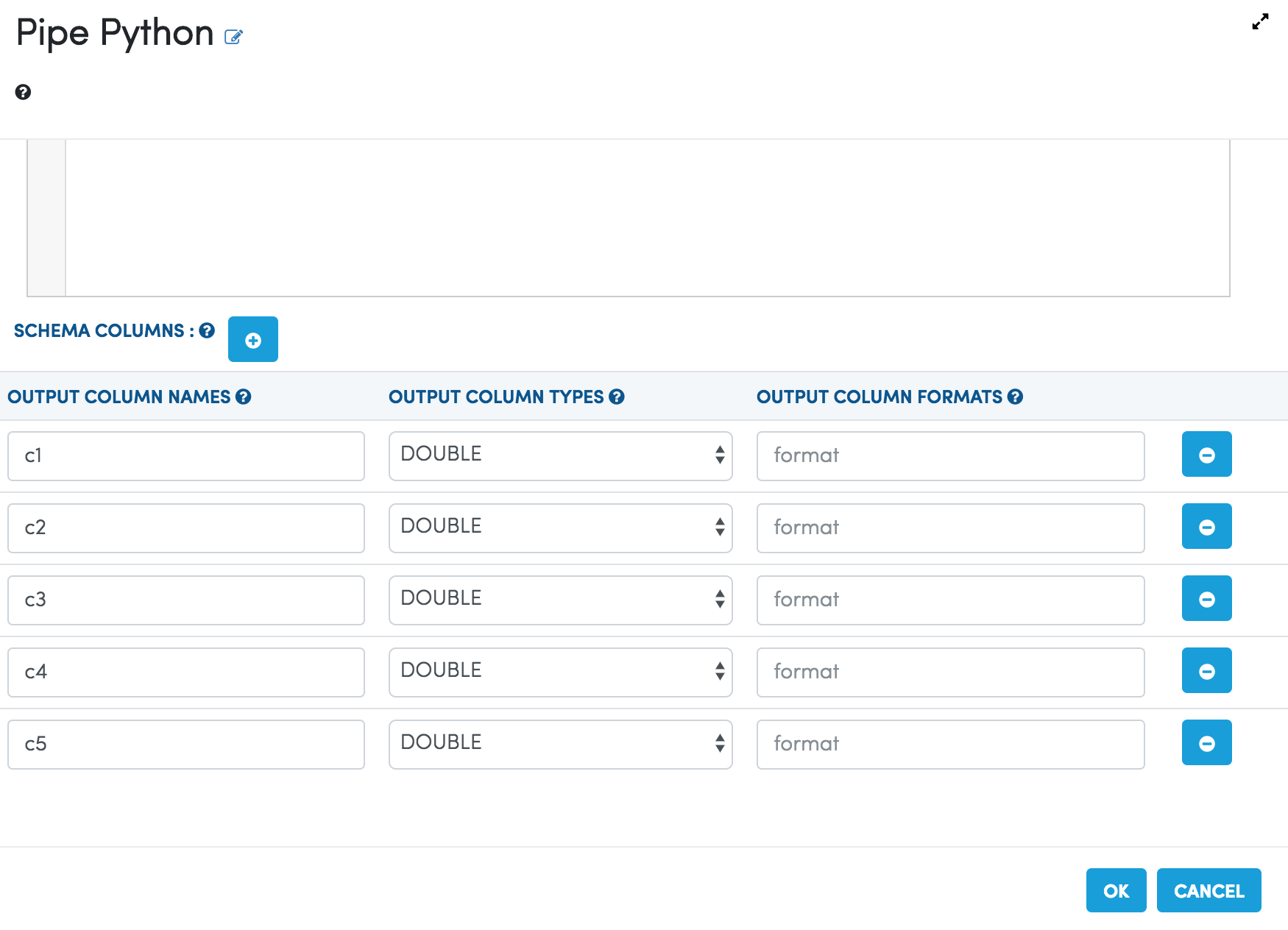
The output schema of the Python Script is used in the Spark code for recreating the Spark DataFrame from the data received from running the Python script.
It has to be specified in the Pipe Python Processor Dialog.